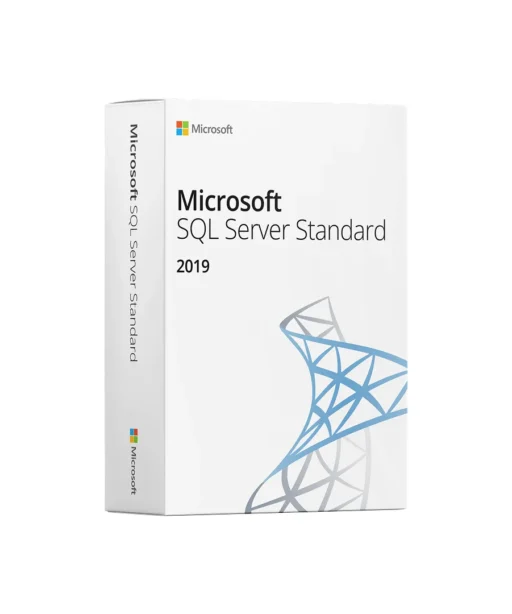
Microsoft SQL Server Standard 2019 — Reliable Database for Companies & Departments
With Microsoft SQL Server Standard 2019, you get a powerful, secure, and proven relational database platform for business applications, reporting, and data integration. Ideal for SMEs, departments, and workloads with high demands on stability, availability, and easy administration – locally, virtually, or in hybrid operation.
All-in-One Features
Database Engine & T-SQL – fast transactions, sophisticated query optimization, scalable for your apps.
Security & Compliance – role-based access control, encryption & audit options, secure authentication (e.g. Active Directory).
Availability & Protection – backup/restore, log protection, recovery models, and options for high availability.
Integration & Reports – Integration Services (SSIS) for ETL/data transfer, Reporting Services (SSRS) for pixel-perfect reports (installable separately).
Modern Ecosystem – broad tooling (e.g. SQL Server Management Studio), drivers/connectors, virtualization & cloud integration.
Typical Deployment Scenarios
Business applications (ERP/CRM/custom software) with transactional data.
Reporting & Controlling with standardized, plannable reports.
Data integration/ETL between systems and departments.
Hybrid & Virtualization in data centers, private clouds, or mixed scenarios.
Benefits for Your Company
Performance & stability for daily core processes.
Security features for sensitive data and audits.
Easy administration thanks to familiar Microsoft tools.
Flexible licensing suitable for your environment (per core or Server+CAL – depending on variant).
Seamless Windows integration including AD connection and familiar operating model.
Why Buy from Keyfy
Genuine Microsoft license with activation guarantee • Instant digital delivery (Key + official download link) • Invoice with VAT • U.S. support • Fair prices with clear details on edition & duration.
Start Now — Instant Digital Delivery
After purchase, you will receive your product key via email within a few minutes, including the official download link and a short guide. Start setup, enter key, configure services – done. Add to cart now and work productively with SQL Server 2019.
Delivery
After purchase, your product key is generated immediately and displayed on the confirmation page (« Thank You » page). At the same time, the license key, the official download link, and a short installation guide are sent to your registered email address within seconds of payment receipt, allowing you to activate Microsoft SQL Server Standard 2019.
This digital delivery gives you immediate access to your product without shipping costs or waiting times. No physical package is sent. If needed, you can create a local installation medium (USB/DVD) using the ISO/installation file.
Please check your spam/junk folder if the email does not appear in your inbox. Should you still have issues, you can contact our support team at any time.
Installation
1. Get License & Download
After purchase, you will find your product key and the official download link on the confirmation page and additionally via email.
2. Start Setup
Download ISO/installer, unzip/mount, and run setup.exe. In the SQL Server Installation Center, select « New SQL Server stand-alone installation ».
3. Enter Product Key
Enter the license key for SQL Server Standard 2019 in the wizard. Accept license terms.
4. Select Components
Under Feature Selection, select at least Database Engine Services. Optionally add SSIS / SSRS (SSRS is configured separately).
5. Instance & Configuration
Choose default instance MSSQLSERVER or named instance. Configure services, set authentication (Windows or Mixed), and add admin accounts.
6. Installation
Review summary and install. After completion, install current cumulative updates if necessary.
7. Connection Test
Install/open SQL Server Management Studio (SSMS), test connection to the instance, and create first database.
System Requirements
Architecture:
64-bit (x64) only
Operating Systems:
Windows Server (e.g. 2016/2019/2022) for production; Windows 10/11 for development/testing
Processor:
x64 processor; modern multi-core CPUs recommended
Memory:
Minimum 2–4 GB (more recommended depending on database size/workload)
Storage Space:
Minimum approx. 6 GB for installation; additional space for data/logs/backups
Network/Internet:
Required for activation, updates, and remote management
Further Notes:
Required Windows components/prereqs (e.g. .NET) are checked/requested by the setup. Parallel operation with other database services may affect resources.





























 Prix
Prix Authenticité
 Livraison
 Support client
 Garantie
 Sécurité
 Facilité d’utilisation
 Réputation
 Facture
 Abordable et transparent – aucun frais caché
 Bon marché, mais vous devrez racheter le mois prochain.